![knowledgebase logo-1.png]](https://helpme.everlogic.com/hs-fs/hubfs/knowledgebase%20logo-1.png?height=40&name=knowledgebase%20logo-1.png)
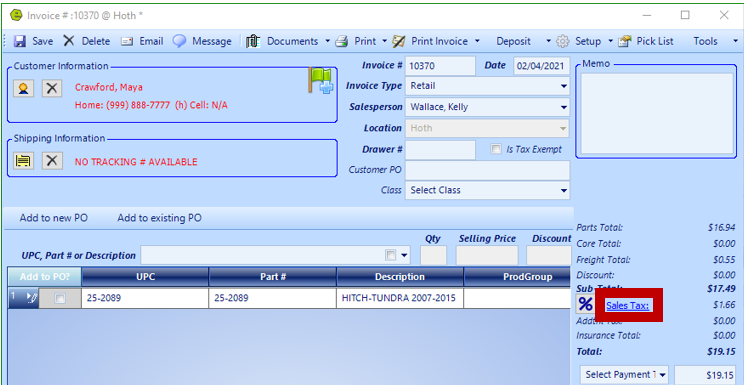
1. Access an Invoice, Repair Order or Deal; example below is a Part Invoice
2. Click on the Sales Tax Link
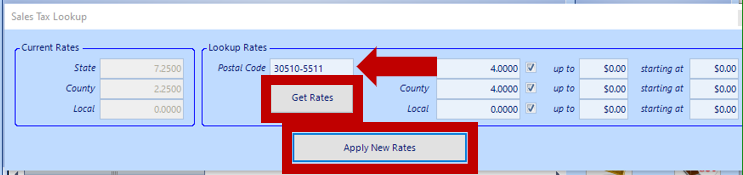
3. Key the Customer's zip code
4. Click Get Rates
5. Click Apply New Rates
21.1
NOTE: The Sales Tax Lookup link is not active once the Invoice / Repair Order is closed, however, does remain active on an Deal.
Related Articles:
Create / Close a Parts Invoice