![knowledgebase logo-1.png]](https://helpme.everlogic.com/hs-fs/hubfs/knowledgebase%20logo-1.png?height=40&name=knowledgebase%20logo-1.png)
IMPORTANT: It is best practice NOT to open a new Internal Repair Orders on a newly sold unit, until the deal is "Washed" & "Posted".
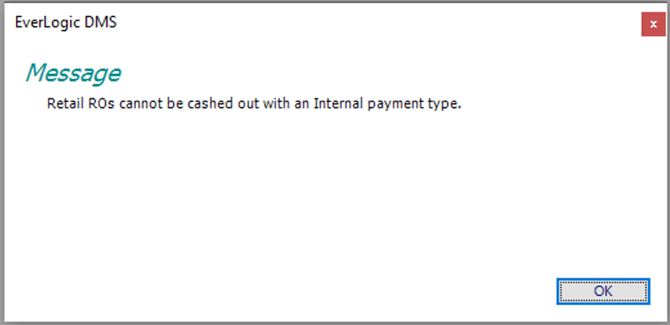
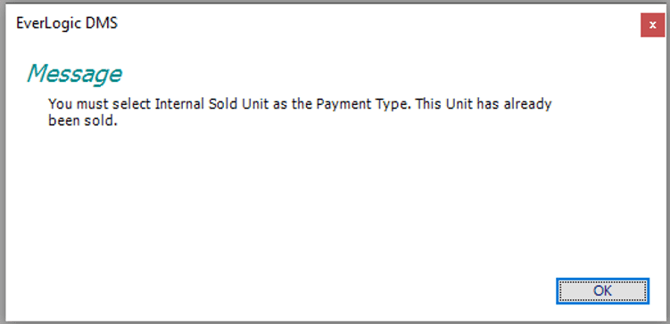
There are two System Rules to consider when working with Internal Service provided on a "Sold" Unit. You may receive one of the messages below, depending on the setting of these System Rules. Instead, you may decide to use the Goodwill Payment Type, to allow amount as a tax write-off.
Change Internal Rule Settings
1. Navigate to the System Setup Tab and select System Rules
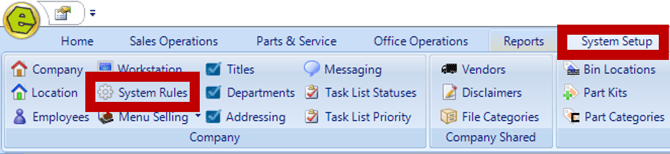
2. Locate Rule
-
InternalSold - considers the Payment Type used to close the Repair Order
-
InternalUnitReq - requires Unit Status to be "In Stock"

3. Double-click to open the Rule
4. Key Answer (It is recommended not to key the Answer as zero (0) on both Rules.)
-
InternalSold
- Zero (0) - The Internal Repair Order Type cannot be cashed out, since the unit has already been sold.
- One (1) - The unit has already been sold, you must select Internal Sold Unit Payment Type.
- Zero (0) - The Internal Repair Order Type cannot be cashed out, since the unit has already been sold.
-
InternalUnitReq
- Zero (0) - does not require Unit Status to be "In Stock"
- One (1) - requires Unit Status to be "In Stock"
Using the combination shown below is used when the unit is not "In Stock", and allows the Internal Repair Order to be closed with Internal Sold Unit Payment Type. You may decide to use the Goodwill Payment Type instead, to allow amount as a tax write-off.
-
InternalSold Rule = 1
-
InternalUnitReq Rule = 0
5. Click OK
6. Save

NOTE: DO NOT add an Internal Sold Unit Repair Order Type
Be advised of the specific points to be aware of on Internal vs Internal Sold Repair Orders;
-
-
- Internals go onto the unit and the balance sheet, once the unit is sold, it will expense itself out in the COGS Account.
- Internal sold will immediately bypass the Balance Sheet, and be expensed in the COGS Account and can be seen on Profit & Loss.
- Do not place any itemized charges on the unit after sale is complete.
- Internal payments transition to QuickBooks as an Asset. It goes over as an Asset first, and shows on the balance sheet until it is sold. When the unit sells, it will pull it from the Asset and Cost it out.
-
IMPORTANT: You may decide to use the Goodwill Payment Type, to allow amount as a tax write-off.