![knowledgebase logo-1.png]](https://helpme.everlogic.com/hs-fs/hubfs/knowledgebase%20logo-1.png?height=40&name=knowledgebase%20logo-1.png)
This error will occur when the Parts Invoice refund amount is a negative amount totaling more than the original invoice amount.
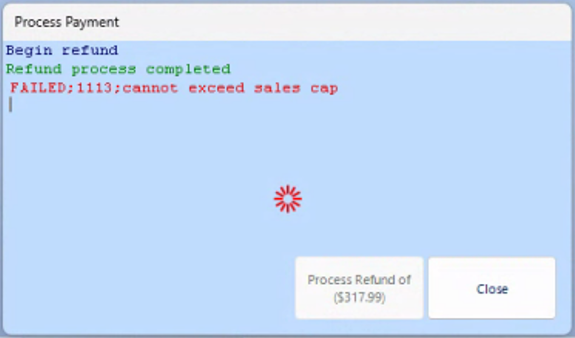
Follow the steps below to process this refund;
- Access the Global Payments website
- Process the payment
- Go to EverLogic and open the Invoice to be refunded
- Tab twice in the Payment Section, to display amount in the Payment Box
- Select original Payment Type
- Click the Rubber Stamp to close the Invoice