![knowledgebase logo-1.png]](https://helpme.everlogic.com/hs-fs/hubfs/knowledgebase%20logo-1.png?height=40&name=knowledgebase%20logo-1.png)
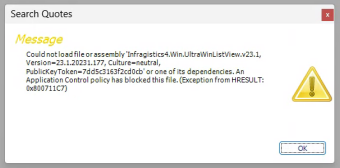
Follow the steps below to turn off the Smart App Control, if you are receiving a message, similar to the one below, when accessing "Search Quotes" or "Search Inventory" Functions on the Sales Operations Tab.
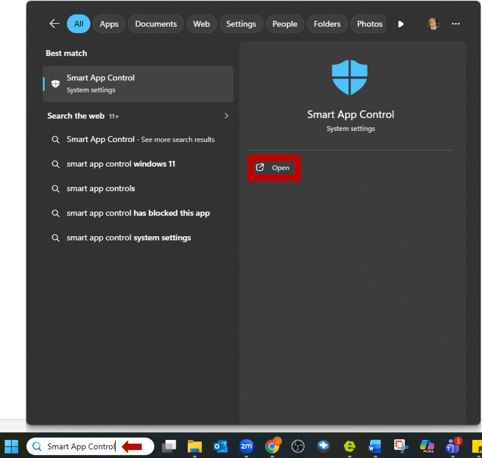
1. Access Smart App Control and Open
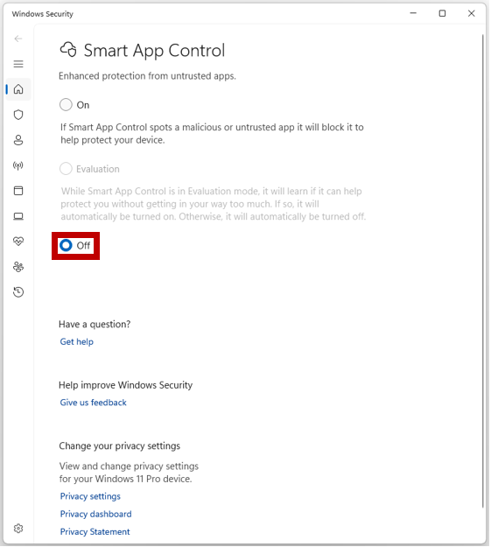
2. Turn off Smart App Control
NOTE: This is a Microsoft issue, you may also try rebooting the system.