1. Navigate tot he System Setup Tab and select Repair Order Types

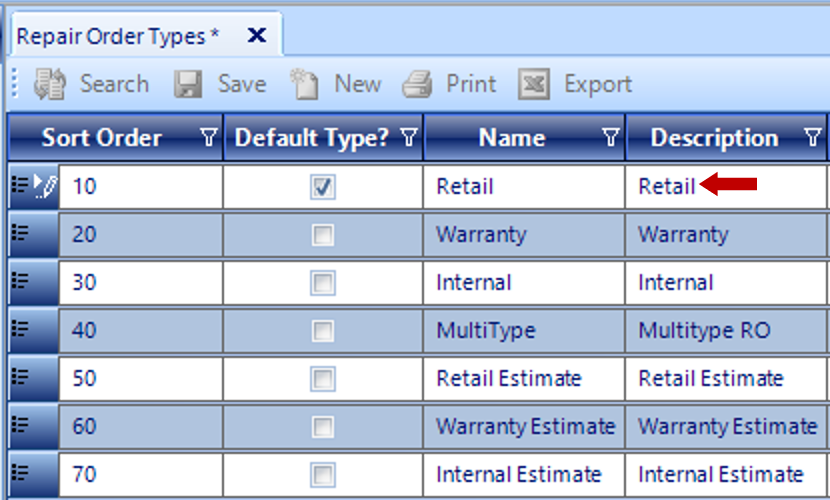
2. Click to open the Repair Order Type to be updated
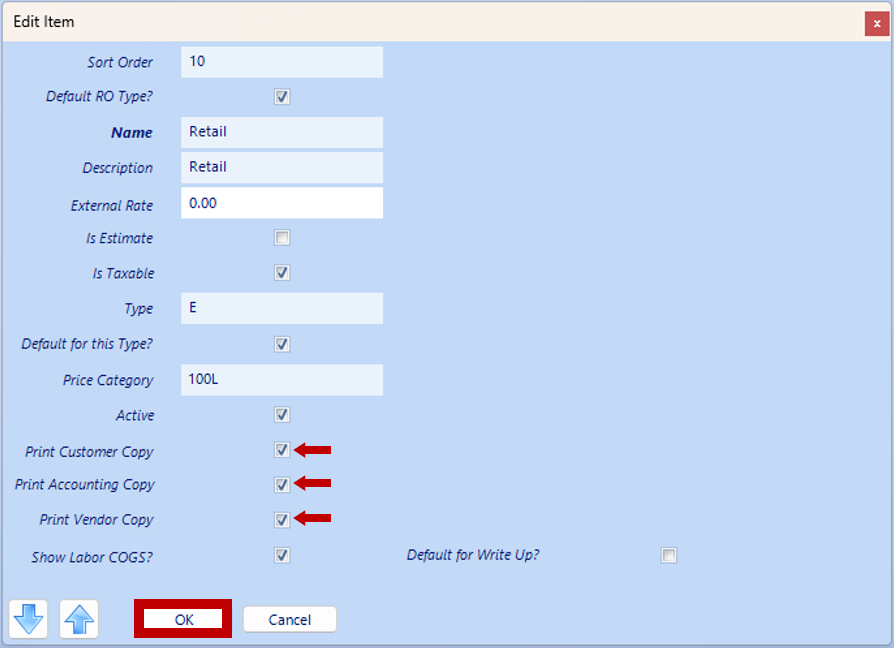
 3. Checkmark the selections for receipts to automatically populate for printing; Customer, Accounting or Vendor
4. Save
![knowledgebase logo-1.png]](https://helpme.everlogic.com/hs-fs/hubfs/knowledgebase%20logo-1.png?height=40&name=knowledgebase%20logo-1.png)
1. Navigate tot he System Setup Tab and select Repair Order Types
2. Click to open the Repair Order Type to be updated
3. Checkmark the selections for receipts to automatically populate for printing; Customer, Accounting or Vendor
4. Save