![knowledgebase logo-1.png]](https://helpme.everlogic.com/hs-fs/hubfs/knowledgebase%20logo-1.png?height=40&name=knowledgebase%20logo-1.png)
Before following the steps below, please consider;
- Add a negative vehicle itemized charge: If you are going to calculate in sales commissions, follow the steps below.
- Post directly into QuickBooks: If you are not going to calculate in sales commissions.
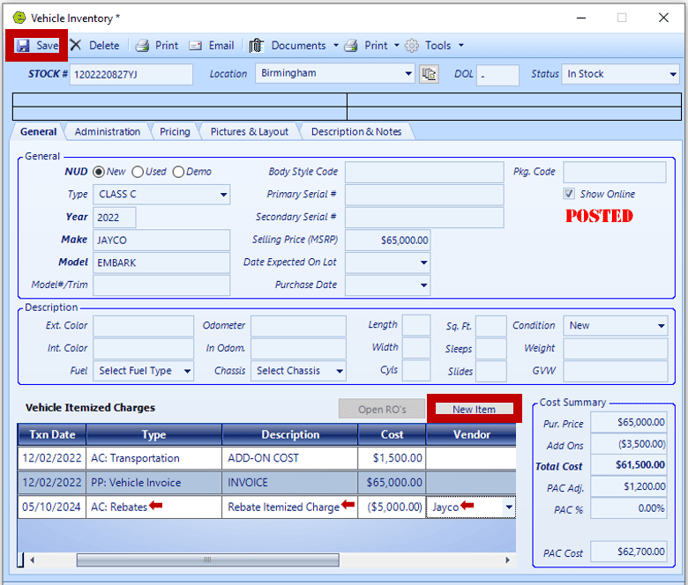
1. Locate the Vehicle Inventory Form
2. Click the New Item Button
3. Select AC: Rebates
4. Key Description as "Rebate Itemized Charge"
5. Enter the rebate amount as a negative figure in the Cost Field
6. Select the Vendor
7. Save